Does Keyboard Lube Dry Out? When to Re-Lube Your Stabilizers
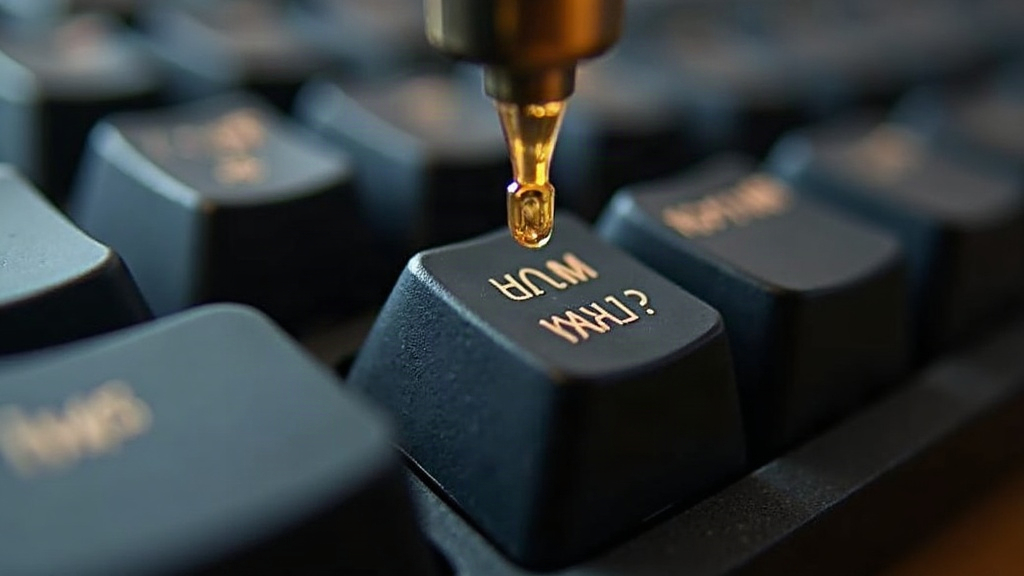
Yes, keyboard lube does dry out, though not quite the way people picture it. It doesn’t evaporate like a puddle of water on a hot sidewalk. Instead, it oxidizes, migrates, or gets squeezed out of place through years of friction and thousands upon thousands of keystrokes. The end result feels the same either way: squeaky switches, rattly stabilizers, and a board that’s lost that smooth, buttery feel it had on day one.
Why Lube Breaks Down Over Time
Lubricant isn’t some permanent coating baked into the plastic. It’s a thin film sitting between moving surfaces, plastic on plastic, sometimes metal on plastic, and every single keypress physically works against that film.
- Mechanical wear: Each press shoves lube away from contact points, especially on stabilizer wires and housings, where friction is highest. Think of it like walking the same path through grass every day; eventually you wear a track into the ground.
- Dust and debris: Airborne particles work their way into the lube, turning it gummy and thick. People often mistake this gunk for “dried out” lube when really it’s contaminated.
- Oxidation: Thinner lubes (104 grease, thin oils) oxidize faster once exposed to air, turning tacky or even crusty after enough time.
- Heat cycles: A board sitting in direct sunlight, or a laptop that runs warm, speeds up lube breakdown considerably.
Thicker greases, Krytox 205g0 or Tribosys 3204 for example, hold up far longer than thin oils because they resist both migration and oxidation much better.
Signs It’s Time to Re-Lube
No need to tear your board apart on some arbitrary schedule. Just pay attention to what you hear and feel:
- Stabilizer rattle: That metallic “tick-tick” on your spacebar, shift, or enter key
- Scratchy switch feel: Switches that used to glide now feel gritty, inconsistent, almost sandy
- Increased keystroke noise: A hollow “clack” replacing what used to be a deep “thock”
- Visible dust buildup: Grease that looks dry, crumbly, or has gone grayish instead of clear or white
As a rough guide, stabilizers usually need attention every 1 to 3 years, depending on how hard you type and how often. Switch lube tends to last much longer, often 3 to 5 years or more, simply because switches don’t take the same beating stabilizer wires do.
How to Re-Lube Your Stabilizers
What You’ll Need
- A switch/keycap puller
- Small precision brushes (size 00 or 000 work best)
- Dielectric grease or a dedicated lube (Krytox 205g0, GPL 105, or similar)
- A small dish or container for the lube
- Isopropyl alcohol, 90%+, for cleanup
Step-by-Step Process
-
Remove keycaps and stabilizers Pop the keycaps off spacebar, shift, enter, and backspace. Unclip the stabilizer housings from the plate or PCB, depending on your mount type.
-
Clean off old lube Dip a brush in isopropyl alcohol and scrub down the wire, housing, and stem. Old, gunked-up lube wipes off pretty easily once it’s saturated. Let everything dry completely before you reapply anything.
-
Apply fresh lube to key contact points
- Wire-to-housing contact points (everywhere the wire slides)
- Stem slider rails
- The small hook where the wire clips into the keycap
- A thin, even bead of grease along the wire itself, spread with a brush rather than dumped on
-
Reassemble and test Snap the stabilizers back in, reattach the keycaps, test each key one by one. You should feel a noticeably smoother press with zero rattle. Still rattling? You probably need a bit more lube on the wire-housing contact, or a band-aid mod to deal with wobble.
-
Band-aid mod (optional) If rattle sticks around even after lubing properly, stick a small piece of tape (Shin Tape, even regular Scotch tape works) at the bottom of the stabilizer housing to cut down on wire movement.
How Often Should You Re-Lube Switches?
Switches generally go much longer between re-lubes than stabilizers, mostly because the stem and housing don’t experience nearly as much lateral friction. That said, watch for:
- Inconsistent actuation feel from one press to the next
- Scratchiness specifically on the downstroke
- Spring ping that definitely wasn’t there when the board was new
If any of that shows up, pull a few switches and take a look at the lube underneath. Linear switches want a thin, even coat all around. Tactile switches need a more careful hand, since too much lube in the wrong spot can dull or even erase that tactile bump entirely.
Quick Maintenance Tips to Extend Lube Life
- Keep your keyboard somewhere dust-free (a cover helps a lot when it’s not in use)
- Keep it out of direct sunlight and away from heat sources like radiators or sunny windowsills
- Blast it with compressed air every few months to clear out dust before it gets ground into the lube
- Go with thicker, higher-quality lubes for stabilizers specifically, since they take the most friction by far
Conclusion
Keyboard lube definitely degrades over time, just not by evaporating. It’s oxidation, dust contamination, and plain old mechanical wear from everyday typing. Stabilizers usually need re-lubing every 1 to 3 years; switches can go quite a bit longer. Hearing rattle? Feeling scratchiness? Notice the keys just don’t feel the same as they used to? That’s your lube telling you it’s done. The fix isn’t complicated: disassemble, clean everything with isopropyl alcohol, reapply a good lube at the actual contact points, put it back together. Thirty minutes of work, and you’re back to that smooth, satisfying typing feel from day one.