Repairing a Lifted Hotswap Socket Pad Without Replacing PCB
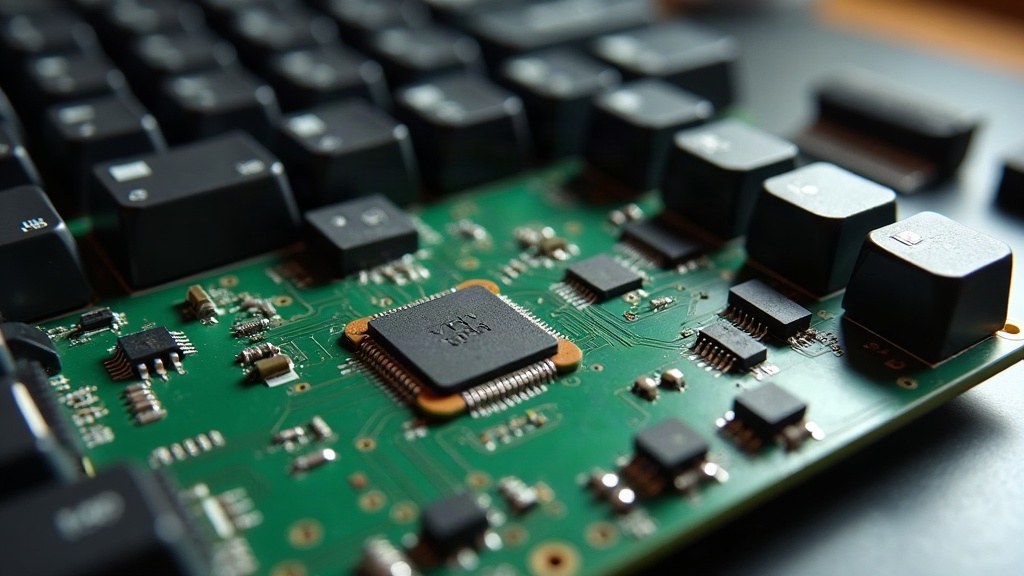
A lifted hotswap socket pad doesn’t mean your keyboard PCB is dead
A lifted hotswap socket pad doesn’t mean your keyboard PCB is dead. In most cases, you can restore the connection by bridging a jumper wire directly to the trace or via beneath the pad, without desoldering the whole socket or buying a new board. Here’s how to diagnose the lift, prep the area, and put in a repair that actually holds up.
How to Tell If a Pad Is Actually Lifted
Before you grab a soldering iron, confirm what you’re actually dealing with. A few telltale signs:
- A key that worked fine yesterday, then just stopped registering right after a switch swap
- A visible gap or a bit of wobble where the copper pad has separated from the board surface
- The pad spins freely around the socket leg or trace instead of sitting flush
- Continuity testing (multimeter set to continuity mode) shows nothing between the socket leg and the matching diode or controller pin
If the pad lifted but the trace underneath stayed put, you’re in decent shape. If the trace tore away along with the pad, the fix takes a bit more work, but it’s still doable with the same basic toolkit.
Tools You’ll Need
- Fine-tip soldering iron (even a secondhand one running at 320-350°C does the job fine)
- Thin magnet wire or 30AWG wire-wrap wire (routes much easier than standard hookup wire)
- Flux pen or liquid flux
- Fine tweezers
- Isopropyl alcohol and a lint-free swab
- A multimeter
- Kapton tape (optional, for insulation)
- A magnifier or loupe, especially if you’re working on a compact or high-density board
Step-by-Step Repair Process
1. Clean the Damaged Area
Wipe away loose solder, debris, or leftover adhesive with isopropyl alcohol. A clean surface makes a world of difference here. Once the gunk is gone, it’s much easier to tell what’s actually torn versus what’s just dirty.
2. Identify the Exposed Trace or Via
Lifted pads usually reveal a thin copper trace running to a via (the plated hole that connects PCB layers) or straight to a diode leg. Grab your multimeter and trace continuity from the exposed copper to the nearest testable point, typically the diode’s leg or a neighboring through-hole.
3. Scrape Solder Mask If Needed
If the trace itself is fine but buried under solder mask (that green or black coating), gently scrape a small patch with a hobby knife until you hit fresh copper. Go light. You want to expose the trace, not slice through it.
4. Tin the Exposed Copper and Socket Leg
Dab on a little flux, then lightly tin both the exposed trace/via and the remaining leg or pad on the hotswap socket. Now you’ve got two solid anchor points to land your jumper wire on.
5. Run a Jumper Wire
Cut a short length of magnet wire (if you’re using magnet wire, scrape the enamel off both ends first, a quick pass with a knife or lighter works). Solder one end to the exposed trace/via, the other to the socket leg. Keep it short and flat against the board so it doesn’t snag on switch pins or get pinched under the plate.
6. Test Before Reassembly
Don’t close the case up yet. Pop a switch into the repaired socket and run it through your keyboard’s test software, VIA, Keychron Launcher, or even a browser-based key tester will do. Mash the key a dozen times and make sure it registers every single time, not just once or twice.
7. Insulate the Repair
Once you’ve confirmed it’s working, stick a small piece of Kapton tape over the jumper wire. This stops it from shorting against the plate, the case, or any neighboring components it might brush up against.
When the Trace Is Also Destroyed
If the pad took the trace down with it and you’re getting no continuity anywhere nearby, follow the circuit back further, usually to the diode or straight to a controller pin, and land your jumper there instead. One thing worth knowing: on 4-layer PCBs, the via itself can still carry signal even after the surface trace is gone. So test before you write off the whole row or column as dead.
Preventing Future Lifted Pads
- Use an actual switch puller made for hotswap sockets, not pliers, not a flathead screwdriver
- Pull switches straight up, not with a lot of side-to-side rocking
- Go light on switch lube around the pins; too much thick lube just adds insertion resistance, which stresses the socket
- If a pad does lift by accident, let it cool all the way before touching it again. Reheating it over and over only weakens the adhesion more
Conclusion
A lifted hotswap socket pad is a common, fixable problem, not a reason to toss the PCB in a drawer. With a steady hand, some thin wire, and a multimeter to confirm your work, you can have the key fully working again in well under 30 minutes. Test it thoroughly before you button the case back up, and tape off the repair so it stays solid for years, not weeks.