How to Safely Extract a Stripped Case Screw from an Aluminum Keyboard
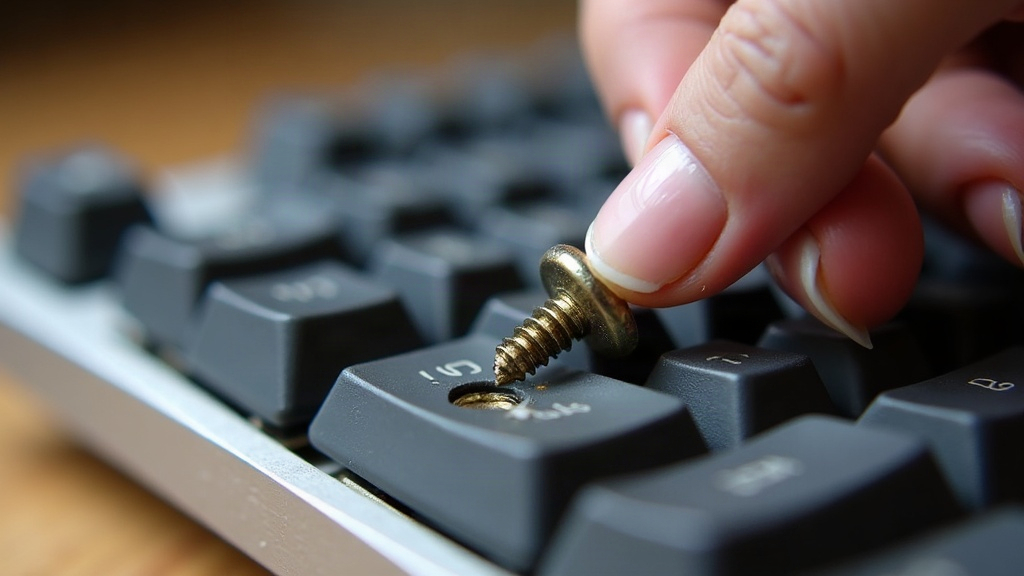
A stripped case screw on an aluminum custom keyboard is annoying, but it’s not a death sentence for your case. As long as you skip the brute-force instinct, you can usually get it out clean. The safest route: improve your grip on the screw head first (rubber band trick, correct bit size, or just a better driver), then only escalate to extraction tools if that fails. Drilling straight into anodized aluminum should be your last resort, not your first move.
Why Aluminum Case Screws Strip So Easily
Aluminum keyboard cases typically use small hex or Torx screws (usually M2 or M3) threaded directly into soft aluminum standoffs. There’s no steel insert backing them up in most budget and mid-tier cases, so the threads give up fast. Common culprits:
- Wrong bit size. Even a hair undersized hex key will round the socket in a few turns.
- Worn or cheap tools. That $8 hex key set from a hardware store flexes and slips under real torque.
- Over-tightening. Here’s the sneaky part: aluminum threads can strip internally before the screw head even looks rounded. You won’t see it coming.
- Angled driving. Push the driver in at a slight angle and you’ll chew up the edges of the socket almost immediately.
- Anodized coating buildup. Paint or anodizing residue sitting inside the screw socket reduces how much contact your bit actually gets.
Figure out which one bit you, because that’s what stops it from happening again on the next screw.
Step 1: Stop Before You Make It Worse
Screw only a little rounded? Stop turning right now. Every failed attempt grinds away more material from the head, and what started as a minor annoyance can turn into a real extraction job. Grab a toothpick or a blast of compressed air and clean out the socket so you can actually see how much grip surface you’ve got left.
Step 2: Try Low-Risk Fixes First
The Rubber Band Method
Lay a wide rubber band over the screw head, then push your hex key or screwdriver firmly through it and into the socket. The rubber squeezes into the rounded gaps and creates friction where there used to be none. This sounds like a gimmick, but it genuinely works often enough to be worth trying first.
Upgrade Your Driver
Swap in a quality bit (Wiha or Wera hex keys are the usual recommendation) that actually fits true, not the random hex key from a $12 multi-tool kit. Interestingly, going slightly larger than “correct” size, as long as it still seats snugly, can grab more of the remaining material than the worn-down original size ever could.
Add Cutting Oil or Penetrating Fluid
A drop of PB Blaster, or even WD-40 in a pinch, around the threads (not the head itself) can break down corrosion or old thread-locker. Less resistance means less torque needed, which means less chance of rounding it further.
Step 3: Use a Screw Extractor Kit
If the head’s too far gone for any driver to bite into, a manual screw extractor (an EZ-Out or similar reverse-thread bit) is your next move, and it’s still relatively low-risk:
- If there’s enough flat surface left, give it a light center-punch.
- Drill a small pilot hole into the screw head only. Stop the second you’ve penetrated the screw itself, not the standoff underneath.
- Insert the extractor and turn counterclockwise. The reverse threads dig in and, with any luck, back the screw right out.
Take it slow here. Extractors are hardened steel but also brittle, and pushing too hard can snap the tip off inside the screw. At that point you’re dealing with a much messier problem than you started with.
Step 4: Grip From the Side
If there’s still some head left to work with, needle-nose pliers often do the trick. A Dremel cutoff wheel can carve a fresh flathead slot, or a rotary tool can cut a new screwdriver notch. Aluminum is soft enough that this cuts cleanly, without generating the kind of heat that would warp or discolor the case finish.
What to Avoid
- Don’t drill straight through into the standoff unless you’re prepared to replace the threaded insert entirely. One wrong move and you’ve damaged the case’s internal threading for good.
- Don’t use excessive heat anywhere near anodized aluminum. It discolors or warps the finish faster than you’d expect.
- Don’t force a larger bit in with a hammer. Aluminum standoffs crack under shock loads far more easily than steel ever would.
Preventing Future Stripped Screws
- Match your bit size exactly, every time, and check your hex keys for wear before you start a build.
- Hand-tighten case screws snugly. They don’t need much torque at all, since aluminum threads give out long before steel ones would.
- A tiny drop of blue (removable) thread locker can stop screws from loosening over time, and as a bonus, it actually improves grip for the next time you need to remove them.
- Keep one dedicated, high-quality bit set just for keyboard builds. Don’t reach for the beat-up tools you’ve been using on furniture or bike repairs.
Conclusion
A stripped case screw doesn’t mean your keyboard is ruined. Start with the cheap, low-risk fixes (the rubber band trick, a better-fitting bit) and only reach for extractors or a cutting tool when those don’t work. Go slow, use the right tools, and you’ll get that screw out without leaving a mark on the case or its finish. A bit of extra care during reassembly, and this won’t happen again on the next build.