Reviving a Mechanical Keyboard After a Sticky Soda Spill: Full Guide
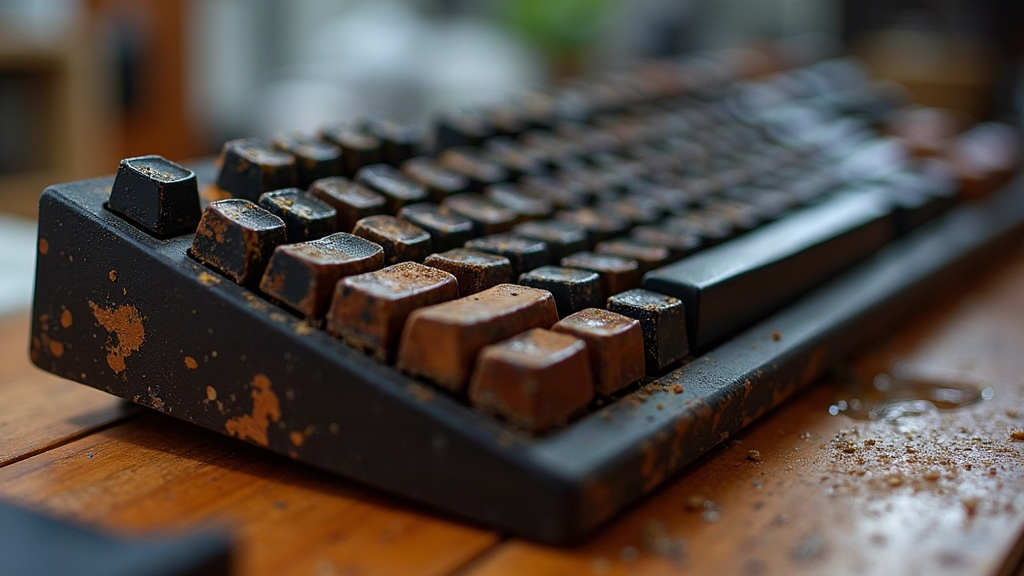
Spilling a soda on your mechanical keyboard feels like the end of the world for about thirty seconds. Good news: in most cases the board is completely salvageable if you move fast and clean it properly. The real villain here isn’t the liquid, it’s the sugar. Water evaporates and leaves you alone. Sugar doesn’t. It sits in your switches, turns tacky, and keeps gumming up your keys for weeks unless you fully dissolve and flush it out. Here’s exactly how to take the board apart, clean it, and dry it so every key comes back to life.
Step 1: Act Immediately, Don’t Wait
The second soda hits your keyboard, stop whatever you’re doing and:
- Unplug it (or kill wireless power) right away to avoid short circuits.
- Flip it upside down immediately and give it a gentle shake to drain the excess before it works its way deeper into the switches and PCB.
- Don’t press any keys. I know the instinct is to test if it still works, but pressing keys just pumps sticky liquid further into the switch housing. Resist it.
- Skip the hairdryer, especially on hot settings. Heat caramelizes sugar, and caramelized sugar is miserable to clean out later.
Step 2: Remove the Keycaps
Grab a keycap puller (the wire-loop style handles mechanical switches better than the plastic ring kind) and pull every cap off, one by one. Drop them in warm water with a few drops of dish soap and let them soak for 20 to 30 minutes. Then scrub each one with an old toothbrush, rinse well, and lay them out on a towel to air-dry for at least 24 hours.
Honestly, this one step solves a huge chunk of “my keys feel sticky” complaints, since soda residue tends to pool right under and around the keycap stem.
Step 3: Clean the Switches In Place
Only a handful of keys feeling mushy or sticky? You probably don’t need to tear the whole thing apart:
- Grab 99% isopropyl alcohol (IPA) and load it into a small syringe or dropper bottle.
- Drip a tiny amount into the gap at the top of each affected switch, right where the stem moves.
- Mash the key rapidly, 20 to 30 presses, to push the alcohol through the mechanism and flush out any dissolved sugar.
- Do this 2 to 3 times per key, letting it dry fully between rounds.
- Still feels gritty? Follow up with a few drops of electrical contact cleaner (never WD-40, that stuff leaves residue and attracts dust). Contact cleaner evaporates completely and leaves nothing behind.
Step 4: When to Desolder and Replace Switches
If a key is still sticking, double-triggering, or just dead after all that cleaning, the switch itself is probably shot:
- Hot-swappable boards: pull the switch with a switch puller and pop in a new one. Takes about ten seconds and costs literally a few cents.
- Soldered boards: you’ll need a soldering iron and a solder sucker to pull the old switch and install a fresh one. Not confident with a soldering iron? A local PC repair shop can usually knock this out for a small fee, no need to risk frying your board.
Want to confirm a switch is actually the problem? Pop off the top housing (most Cherry MX-style clones open with a flathead screwdriver pried gently at the clips). Nine times out of ten you’ll spot visible sugar crust or discoloration inside, which tells you the switch needs a deep clean or just needs to go.
Step 5: Clean the PCB and Case
- Dip a cotton swab in IPA and wipe down the PCB, paying extra attention to the spots under whichever keys got hit.
- Look closely at the solder joints and traces. Green or white crust means oxidation, and that needs a gentle scrub with an alcohol-soaked brush before it spreads.
- Wash the plastic case and plate in warm soapy water, rinse, and dry completely before moving on.
Step 6: Dry Everything Thoroughly Before Reassembly
This is the step everyone rushes, and the one people regret most. Give every component at least 48 hours to air-dry in a well-ventilated spot. Toss in some silica gel packets or point a fan at it to speed things along. Putting the board back together while anything is even slightly damp traps moisture inside, and that corrosion won’t show up today, it’ll show up in three weeks when you least expect it.
Preventing Future Spills
- Grab a keyboard cover, or just switch to a low-profile board with built-in splash resistance for your desk.
- Keep your drink on the opposite side of the keyboard, not hovering directly above it (we’ve all done it anyway, but still).
- If you eat or drink at your desk regularly, look for keyboards with rubber dust and spill gaskets built in.
Conclusion
A soda spill is not a death sentence for your mechanical keyboard. Act fast, pull the keycaps, flush the switches with isopropyl alcohol, and give everything proper time to dry, and you can have it running like nothing happened within a weekend. If a few keys stay stubborn, swapping individual switches costs next to nothing and beats replacing the whole board by a mile. Don’t throw in the towel before you’ve run through the full cleaning process.