How to Map a 40% Ortholinear Keyboard for Coding Workflows
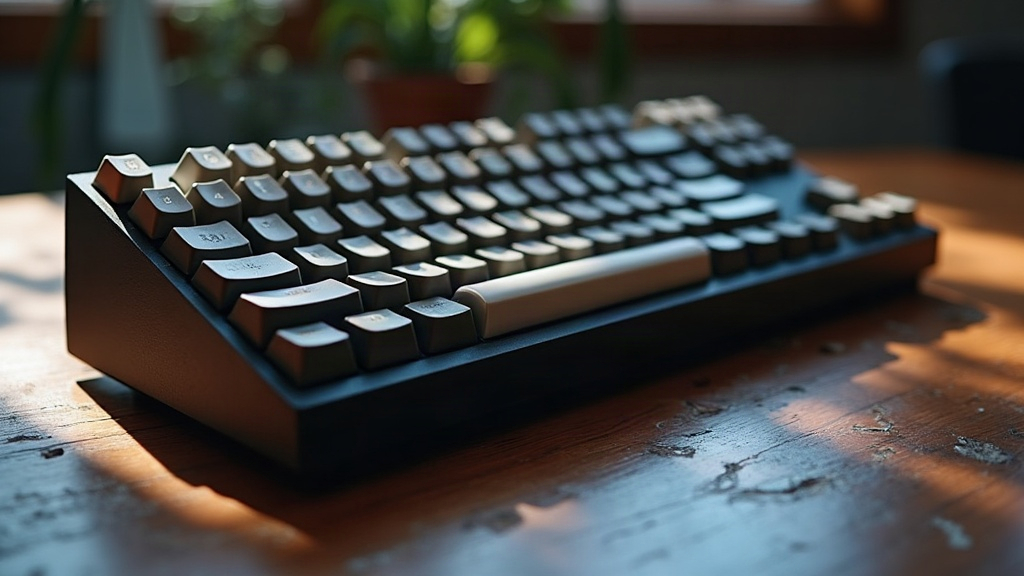
Can a 40% Ortholinear Keyboard Actually Handle Programming? Yes, If You Map It Right
A 40% ortholinear keyboard (think Planck, Minivan, or any similar grid-layout board sitting around 40-47 keys) can absolutely handle serious programming work. But only if you map it with intention. There’s no number row, no arrow cluster, no dedicated symbol row sitting off to the side waiting for you. Every bracket, every pipe, every function key has to live somewhere on a layer. This guide walks through a practical approach, the kind that’s actually been tested through real coding sessions, for building a layout that speeds you up instead of slowing you down.
Why 40% Boards Work Well for Coding
It seems counterintuitive at first: fewer keys, more productivity? But programmers keep gravitating toward 40% ortholinear boards, and there are real reasons behind it:
- Straight key columns cut down finger travel compared to the staggered rows on a traditional keyboard. That matters a lot when you’re hammering out symbols all day long, parentheses after parentheses, semicolons everywhere.
- Layers replace reaching. Instead of stretching your pinky up to a number row or craning toward F-keys, you tap a thumb key and the entire layer comes to you, right at home position.
- Smaller footprint, less wrist travel. Your hand barely has to move between keyboard and mouse. If you’re constantly bouncing between your editor and a terminal window, this adds up fast over an 8-hour day.
The tradeoff? A real learning curve. Don’t expect to be fast on day one. Give it 1 to 3 weeks of noticeably slower typing before things start clicking into place.
Core Layer Structure for Programmers
Most layouts that actually work in practice use four to six layers. Here’s a structure that holds up well whether you’re on QMK, ZMK, or Vial:
Layer 0 — Base (Letters)
Standard QWERTY, or something like Colemak-DH if you’re into alternative layouts. Keep this layer clean. No symbols crammed in here, no exceptions, just letters.
Layer 1 — Numbers & Navigation
- Top row: numbers 1 through 0
- Home row: arrow keys (a lot of people put these under IJKL or HJKL, especially Vim folks)
- Home, End, Page Up/Down nearby for quick jumps through files
Layer 2 — Symbols
This is the layer that decides whether your whole setup feels good or feels miserable. Group things logically, don’t scatter them:
- Brackets together:
()[]{}on adjacent keys, mirrored across left and right hands - The symbols you’ll hit constantly:
_,-,=,+,;,:placed front and center - Put
{and}on your strongest fingers. If you write C-like languages, JSON, or JS, you’ll be tapping these hundreds of times a day
Layer 3 — Function & Media
- F1 through F12 for debugging sessions and dev tools
- Media controls, volume, screen brightness, since there’s genuinely nowhere else to put them
Layer 4 — Shortcuts (Optional)
Some programmers carve out a whole layer for IDE actions: comment-line, duplicate-line, go-to-definition, multi-cursor. Instead of a three-key chord, it becomes a single thumb-combo tap. Small thing, but it adds up over a thousand repetitions a week.
Home Row Mods: The Secret Weapon
Home row mods let your home row double as modifier keys (Ctrl, Alt, Shift, GUI), but only when held. Tap the key and it types the letter like normal. Hold it, and it becomes the modifier. A typical setup looks like this:
- A = Shift (hold) / A (tap)
- S = Ctrl (hold) / S (tap)
- D = Alt (hold) / D (tap)
- F = GUI (hold) / F (tap)
Once this clicks, you can fire off Ctrl+C, Ctrl+Shift+P, or Alt+Tab without your fingers ever leaving home row. For anyone living inside VS Code or a JetBrains IDE all day, this is a genuine productivity win. The catch is real too: there’s an adjustment period, and typing fast before you’ve internalized the timing can trigger accidental modifier presses. The fix is tuning your tapping term (usually somewhere around 150-200ms) in your firmware config. Dial it in and the misfires mostly disappear.
Placing Brackets and Braces Efficiently
Brackets are the most-typed symbols in nearly every programming language, so don’t just toss them wherever there happens to be an empty key slot. A layout that’s proven itself over time:
(and)on the index fingers’ symbol-layer position, since they show up in virtually every language you’ll ever write{and}on adjacent keys for fast block-opening, whether you’re in C, Java, JS, Go, or Rust<and>kept in the same cluster, handy for generics in TypeScript or Java, and for comparisons everywhere else
Tips for Vim and Terminal Users
- Map Escape to Caps Lock, or to a dedicated thumb key. If you use Vim’s modal editing, this one change alone will save your pinky
- Keep Ctrl on a thumb key too, even with home row mods active, because some terminal emulators handle held-key combos in weird, inconsistent ways
- Add a layer-lock key if you find yourself parked in the symbol layer for long stretches, like when you’re deep in a regex or editing a config file full of brackets and colons
Testing and Iterating
- Build the layout in QMK Configurator, Vial, or ZMK Studio, whichever matches your firmware
- Flash it, then actually use it for real work for 3 to 5 days minimum before touching anything again
- Pay attention to friction: which symbols force an awkward stretch or a clumsy combo? Write those down
- Run it through a typing or coding-specific practice tool, ideally one using real code snippets, so you’re testing under conditions that resemble your actual job
Conclusion
Mapping a 40% ortholinear keyboard for programming really comes down to disciplined layering. Numbers and navigation on one layer. Symbols grouped with some actual logic on another. Home row mods quietly handling your modifiers so your fingers never have to leave home position. It takes patience, and honestly a bit of relearning muscle memory you’ve had for years. But once it’s dialed in, a well-mapped 40% board can genuinely outperform a full-size keyboard for coding work: less reaching, less strain, and everything sitting exactly where your fingers already are.