Alice Layout vs Corne: Split Keyboards for Carpal Tunnel Relief
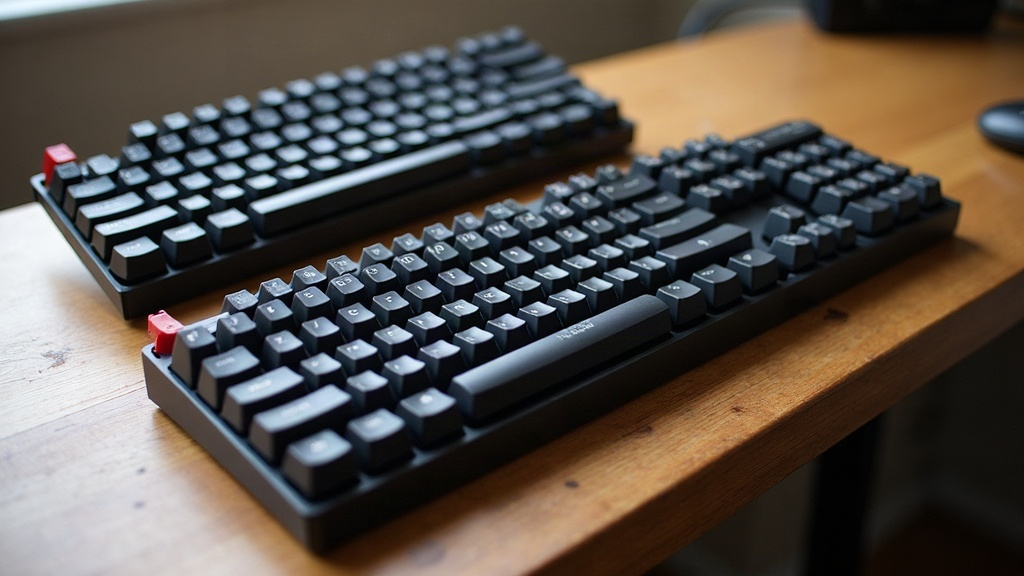
If your wrists start complaining after a few hours of typing, the shape of your keyboard matters a lot more than most people assume. Two popular routes for fending off carpal tunnel syndrome are the Alice layout and the Corne (CRKBD) split keyboard. They tackle the same problem, but from opposite directions. Here’s how each one actually works, who should pick which, and which design genuinely cuts down on strain.
Why Keyboard Shape Affects Carpal Tunnel Risk
Carpal tunnel syndrome shows up when the median nerve in your wrist gets squeezed, usually from repetitive motion combined with bad wrist posture. A standard rectangular keyboard pushes your wrists into ulnar deviation, that outward bend toward your pinkies you need just to reach the far keys, for hours on end, day after day. Keep that up for a few years and you’re compressing the carpal tunnel and irritating the tendons that run through it.
Ergonomic keyboards try to fix this by changing the angle and spacing of the keys so your hands can sit in something closer to a neutral, relaxed position.
The Alice Layout: A Gentle Introduction to Ergonomics
The Alice layout keeps one solid keyboard body, but splays the two halves outward in a gentle V, with a small gap down the middle. The Keychron Q11, Azio Cascade, and a handful of DIY kits are the usual suspects here.
Pros:
- Familiar, compact footprint, it still looks and feels like a normal keyboard
- No cables, no splitting halves apart, no software setup to bother with
- An easy on-ramp if you’re coming straight from a regular board
- Usually keeps a numpad or function row, so there’s barely any relearning
Cons:
- The split angle is baked in, you can’t widen or narrow it
- Doesn’t fully solve the width mismatch for people with broader shoulders
- The reduction in ulnar deviation is real but modest, nowhere near what a true split gives you
The Corne: A Fully Split, Columnar-Staggered Design
The Corne, usually just called the CRKBD, is a 3x6 (sometimes 3x5) columnar-staggered split keyboard, almost always built from a kit with hot-swap sockets. The two halves are entirely separate, linked only by a TRRS cable, so you can set them anywhere you want.
Pros:
- Halves sit shoulder-width apart (or wider), which pretty much kills ulnar deviation
- Columnar stagger lines keys up with how fingers actually move, rather than forcing a row-based reach
- Pairs naturally with a tenting kit for a wrist-neutral tilt
- QMK/ZMK firmware opens the door to deep customization, and thumb clusters take real pressure off your pinkies
Cons:
- Steep learning curve, fewer keys means you’re leaning hard on layers for numbers and symbols
- Expect a 1-2 week dip in typing speed before things click
- DIY by nature, often involving soldering or at least kit assembly
- No function row or numpad on tap, you build those into layers yourself
Which One Actually Prevents Carpal Tunnel Better?
Ergonomically speaking, the Corne does more heavy lifting, because the fully split design lets each hand sit at whatever width and angle actually suits your body, which goes straight at the root cause of ulnar deviation instead of just softening it. Bolt on a tenting kit and you also cut down on forearm pronation, another sneaky contributor to nerve compression.
That said, the Alice layout is still a real upgrade over a stock keyboard, and it barely disrupts your workflow. If you’re not ready to relearn your layout or mess with firmware, it’s a sensible first step.
Quick Decision Guide
- Choose Alice if: you want ergonomic benefits without changing how you type, you need a numpad, or you’d rather have something usable the moment it arrives.
- Choose Corne if: you’re already dealing with wrist pain or diagnosed carpal tunnel symptoms, you’re willing to put in the relearning time, and you want full control over split width, tenting, and tilt.
Additional Tips for Carpal Tunnel Prevention
Whichever keyboard you land on:
- Keep your wrists flat or angled slightly down, never bent upward. Skip wrist rests that push your wrist into extension.
- Start with a low tenting angle, around 5-15°. Jumping straight to a steep angle can strain muscles that aren’t used to it yet.
- Take micro-breaks every 20-30 minutes. A quick wrist and finger stretch takes ten seconds and genuinely helps.
- Pair your keyboard with a vertical mouse so your other forearm isn’t pronating all day too.
- If you’re dealing with numbness, tingling, or a weakening grip, see a doctor or physical therapist. Don’t wait on that one.
Conclusion
Both the Alice layout and the Corne can meaningfully cut down the repetitive strain behind carpal tunnel syndrome, but they’re really aimed at different points on the ergonomic spectrum. The Alice gives you a comfortable, low-friction upgrade for general wrist relief. The Corne, especially once tented, gives you the most aggressive and customizable setup for people already fighting pain. If prevention is the goal and you’re willing to put in a couple weeks of adjustment, the Corne is the one offering the strongest long-term protection for your wrists.