Best Keycap Profiles & Switches for Long Acrylic Nails Typing
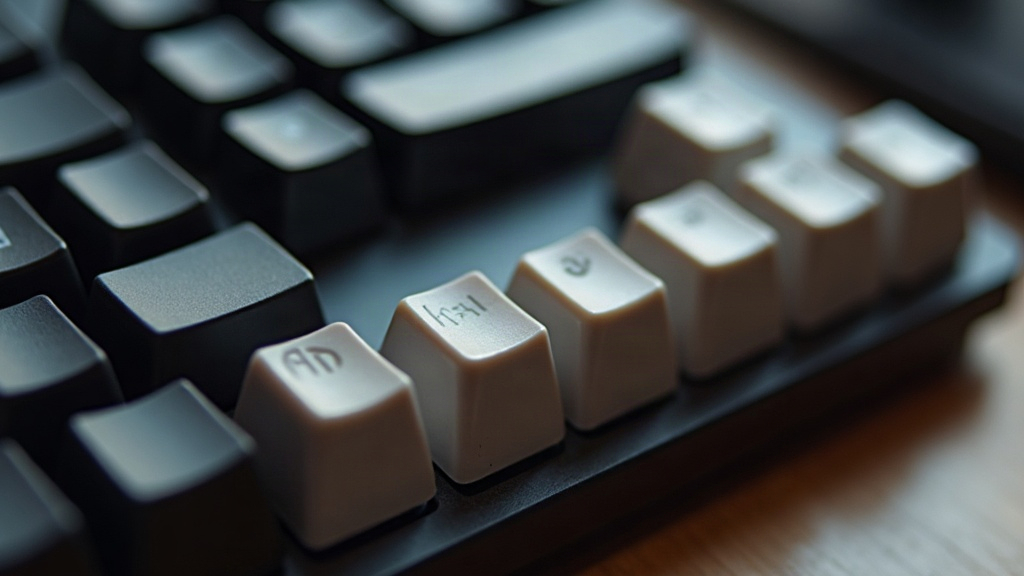
If you rock long acrylic nails, typing on the wrong keyboard turns into an actual battle. Missed keystrokes, that annoying click of nail against keycap wall, switches that basically demand finger-pad contact you just don’t have anymore. Here’s the good news: some keycap profiles and switch types are miles more forgiving for nails than others. This guide walks through exactly what to look for, based on how acrylic nails physically interact with keycap shapes and switch mechanics.
Why Nail Length Changes How You Type
With short, natural nails, your fingertip pad is the first thing to land on a keycap. Once you’ve got long acrylics, it’s usually the nail tip making first contact, often at an angle, sometimes sliding right off the edge of the key. That shift changes two things in practice:
- Contact point: you need a keycap shape that forgives off-center or angled hits, not one that punishes them.
- Actuation force: nails simply can’t register resistance the way a fleshy fingertip can. A switch with a noticeable tactile bump or an audible click becomes your confirmation that the press actually landed.
Best Keycap Profiles for Long Nails
1. Low-Profile / Flat Profiles (Top Pick)
Flat or low-profile caps (Choc-style, or Cherry low-profile) cut down the vertical “wall” your nail has to clear on the way down. Less height, less chance of the nail tip catching a side wall or scraping plastic mid-stroke. For anyone with nails past 8mm or so, this is usually the first thing worth trying.
2. Cylindrical / Spherical Tops (OEM, Cherry, SA with a rounded dish)
A concave, rounded dish gives your nail somewhere natural to land, even when you strike a little off-center, which happens constantly when you’re not using a fingertip. Here’s the twist though: deeply scooped sets like SA or MT3 can actually work against you. Their tall sidewalls catch longer nails on diagonal presses more than a shallower dish does. So a gentler profile like Cherry or OEM tends to beat the ultra-sculpted, “ergonomic-looking” sets.
3. Skip Flat-Top Uniform Profiles (DSA) if Your Nails Are Very Long
DSA looks simple on paper (completely flat, uniform top), but that’s the problem. With no dish to guide the nail tip, presses slide sideways more easily, especially on diagonal reaches like Q, P, or the number row. Fine for shorter nails, trickier past a certain length.
Quick profile ranking for long nails:
- Low-profile/Choc-style, best for speed with minimal nail interference
- OEM/Cherry profile, balanced height with a gentle dish
- DSA, workable but less forgiving on edge keys
- SA/MT3, avoid if your nails extend 1cm or more past the fingertip
Best Switch Types for Acrylic Nails
Tactile Switches (Top Recommendation)
Switches like the Boba U4T, Holy Panda, or Zealio give you a physical bump partway into the keystroke. For nail-typists this matters more than people expect: you can’t always feel subtle resistance through a solid acrylic tip, so a pronounced bump tells you the key registered without needing to slam it all the way down.
Clicky Switches for Audible Confirmation
If tactile feedback alone doesn’t cut it, clicky switches (Cherry MX Blue, Kailh Box White) throw in an audible click on top. Great for fast typists with nails who want confirmation without glancing down at the keyboard or pressing harder than necessary just to be sure.
Light Linear Switches (Use with Caution)
Linears (Red, Yellow) can technically work, but since there’s no bump to signal “yes, that registered,” nail-typists often end up bottoming out harder than they need to, just to feel something. Over a full workday that adds up to real finger strain and faster fatigue. If you still want linears, go for a light actuation force, around 35-45g, to cut down on that extra push.
Practical Setup Tips
- Reduce travel distance: pair low-profile caps with short-travel switches (under 3mm) so there’s less runway for nails to scrape against keycap sides.
- Angle your keyboard: a slight negative tilt, front higher than back, often helps nails strike keys more vertically instead of at a steep, nail-catching angle.
- Test before committing: grab a switch tester with at least one tactile and one clicky option before dropping money on 60+ switches for a full build.
- Think about keycap material: PBT has a slightly textured, matte feel that’s noticeably less slippery for nail tips than glossy ABS.
Common Questions
Do I need a special “nail-friendly” keyboard? Not really. Any board with hot-swappable switches and low-profile or OEM-profile keycaps can be set up to work well. Look for boards that explicitly support Kailh Choc or standard MX low-profile switches.
Will long nails damage my switches or keycaps? Acrylic is harder than skin, so yes, it can speed up shine on keycap tops over time, especially on glossy ABS. PBT holds up noticeably better against that wear.
Should I size down my nails for typing? If you’re typing all day for work, nails extending more than 5-7mm past the fingertip tend to cause accuracy problems no matter what keyboard you’re on. A slight filing on the typing-side edge, or just going a bit shorter, can make a real difference.
Conclusion
For anyone typing with long acrylic nails, the combo that actually works is a low-profile or OEM-dish keycap set paired with tactile or clicky switches. That gives your nails a forgiving landing spot and clear feedback, without forcing you into heavy bottom-out presses just to confirm a keystroke. Steer clear of tall, deeply sculpted profiles like SA, and always test switch feel before buying in bulk. Your typing speed, and your nail tips, will thank you for it.